Find IMEI, Phone & Serial Number
Find IMEI, Phone & Serial Number
Learn how to locate your device's IMEI, phone number, and serial number.
INSTRUCTIONS & INFO
In this tutorial, you will learn how to:
• View phone number
• View serial number
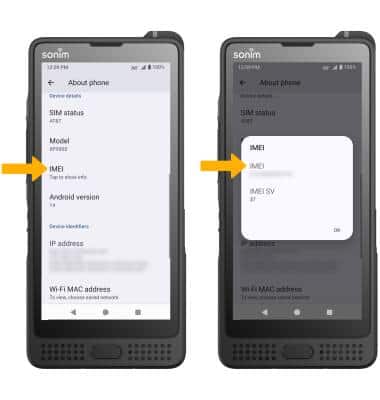
• View IMEI number
View phone number
1. Swipe down from the Notification bar with two fingers, then select the  Settings icon.
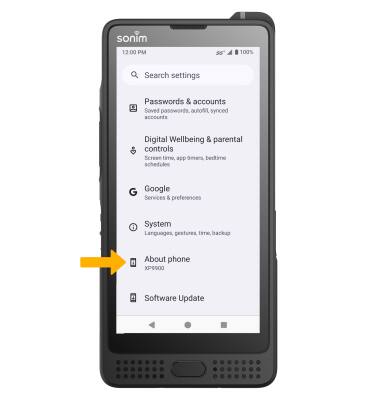
2. Scroll to and select About phone.
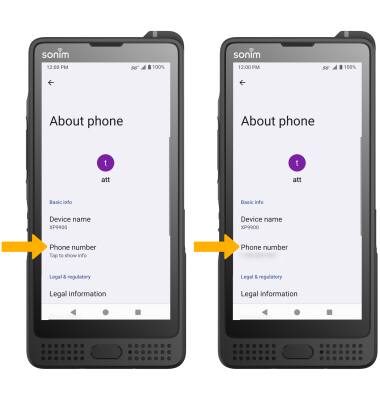
3. Select the desired Phone number. The Phone number will be displayed.
View serial number
From the About phone screen, scroll to and select Model. The device's Serial number will be displayed.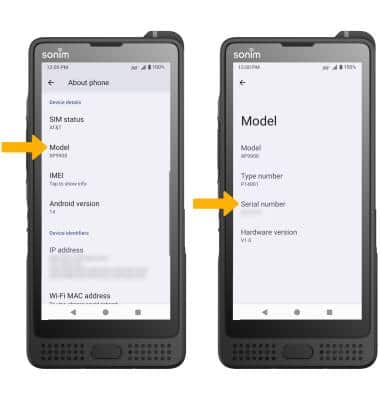
View IMEI number
From the About phone screen, scroll to and select the desired IMEI. The IMEI will be displayed.
Note: You can also view your IMEI by entering *#06# from the keypad.