GPS
GPS
Provide GPS coordinates to connected devices which do not natively have built-in GPS.
INSTRUCTIONS & INFO
In this tutorial, you will learn how to:
• Enable/disable GPS coordinates from mobile router
2. Click SETTINGS.
3. Click Advanced, then click GPS. Click the Enable checkbox to enable/disable GPS.
• Enable/disable GPS coordinates from mobile router
• Enable/disable GPS coordinates from management website
Enable/disable GPS coordinates from mobile router
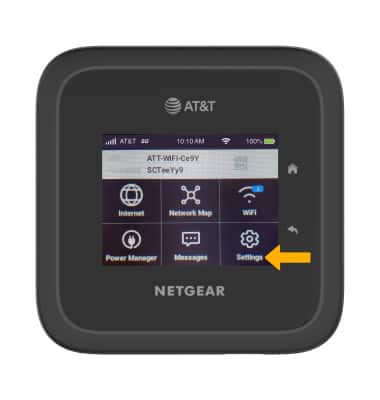
1. From the device home screen, select Settings.
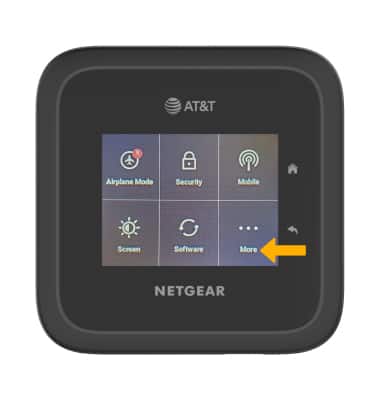
2. Select More.
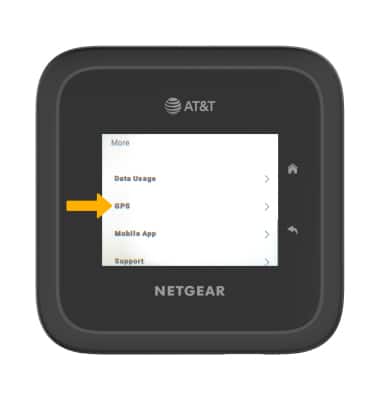
3. Scroll to and select GPS.
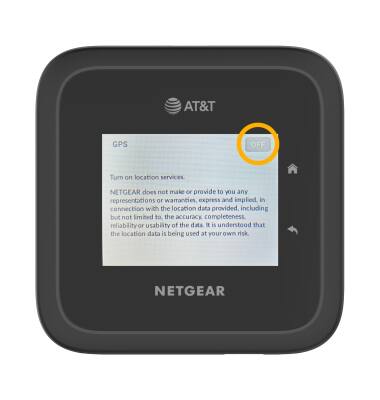
4. Select the GPS switch to enable/disable GPS.
3. Scroll to and select GPS.
4. Select the GPS switch to enable/disable GPS.
Enable/disable GPS coordinates from management website
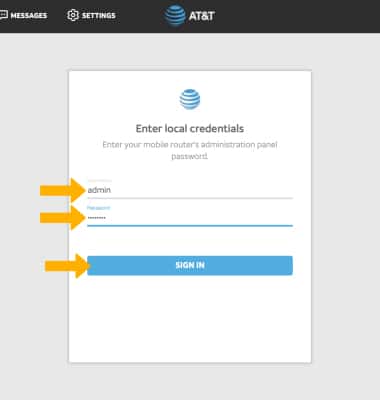
1. From your device's web browser, go to http://attwifimanager. Enter your Username and Password, then click SIGN IN.
Note: Ensure that your device is connected to the Netgear Nighthawk M6 Wi-Fi network. For more information, please see the Connect Devices to Wi-Fi or Connect PC or Mac to Wi-Fi tutorials.
Note: Ensure that your device is connected to the Netgear Nighthawk M6 Wi-Fi network. For more information, please see the Connect Devices to Wi-Fi or Connect PC or Mac to Wi-Fi tutorials.
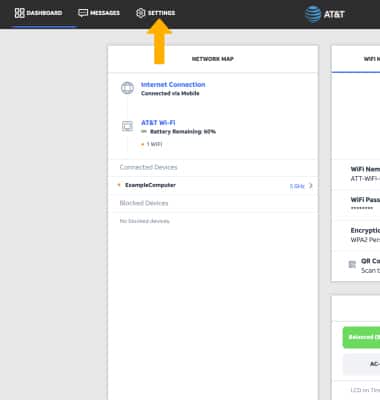
2. Click SETTINGS.
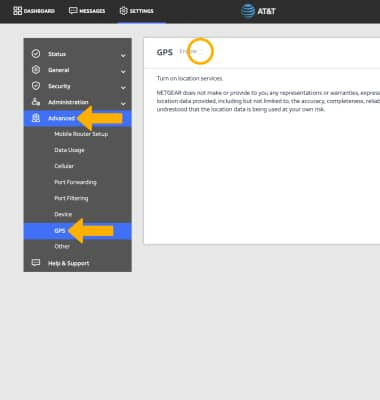
3. Click Advanced, then click GPS. Click the Enable checkbox to enable/disable GPS.