Back up & Restore with Memory Card
Back up & Restore with Memory Card
Find out how back up contacts, photos, and files with a memory card to increase device memory or transfer to another device.
INSTRUCTIONS & INFO

Inserting a memory/microSD card into your device allows you to transfer and store contacts, music, pictures, and videos. MicroSD cards are sold separately. For information about your device's memory, visit the Available Storage tutorial.
1. From the home screen, swipe up to access the Apps tray then select the  Downloads app.
2. Select the  Menu icon, then select the device.
Note: If you are prompted with a permissions notification, select ALLOW. 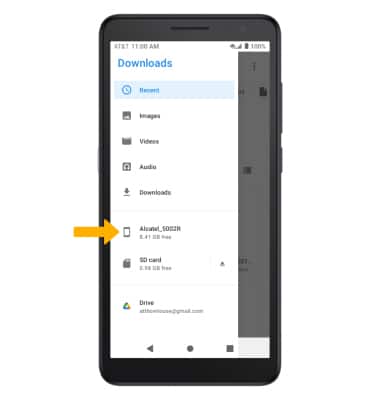
3. Navigate to and select and hold the desired file(s), then select the  Menu icon. Select Copy to....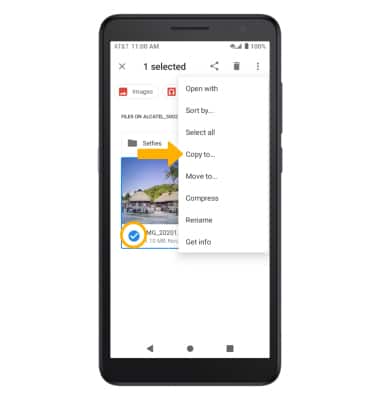
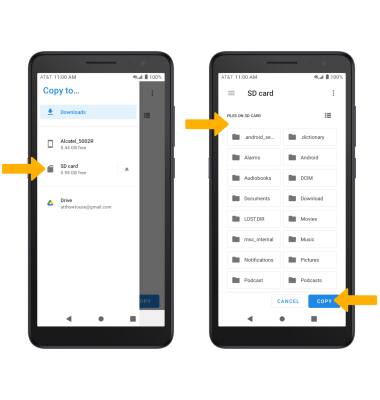
4. Select the Menu icon, then select SD card. Navigate to the desired folder, then select COPY.