Google Assistant
Google Assistant
Learn how Google Assistant allows you to control your device and access voice control settings using voice commands.
INSTRUCTIONS & INFO
In this tutorial, you will learn how to:
• Access and use Google Assistant
• Access Google Assistant settings
Access and use Google Assistant
1. Select the  Microphone icon on the home screen to access Google Assistant.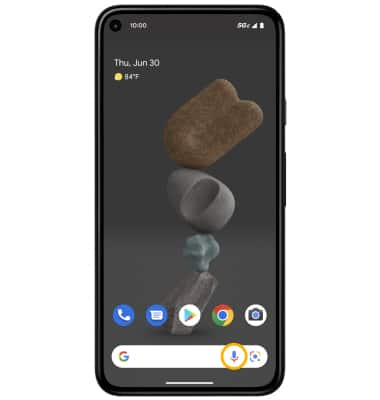
2. Say the desired search term(s) when "Hi, how can I help?" is on-screen. To type your question, select the Keyboard icon. 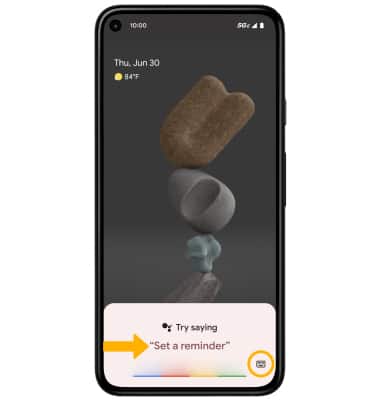
Access Google Assistant settings
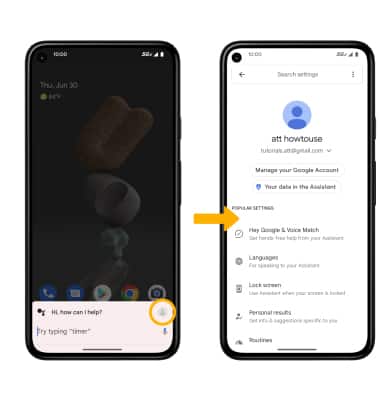
From the Google Assistant screen, select the Account icon. Edit settings as desired.