Learn & Customize the Home Screen
Add an app to the home screen
From the home screen, swipe up to access the Apps tray. Select and drag the desired app to the desired location on the home screen.
Note: To remove an app from the home sceen, select and drag the desired app to Remove at the top of the screen.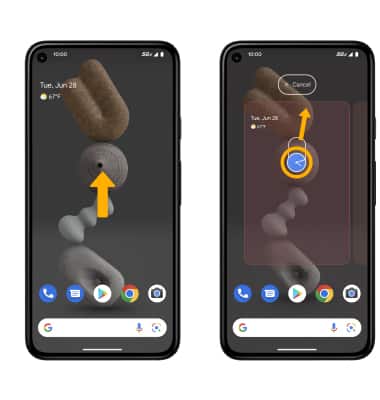
Add/remove a folder from the home screen
Select and drag the desired app over another app, then release. A new folder will automatically be created. To delete a folder, remove all apps from the folder. The folder will automatically be deleted.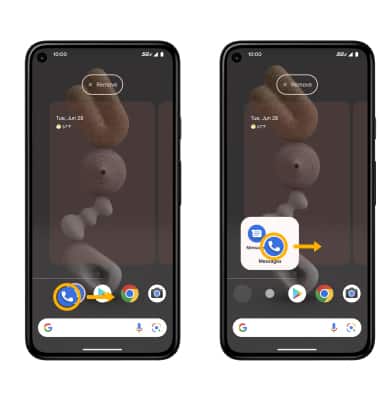
Edit display options
Select and hold an empty space on the home screen, then perform the following for the desired display option: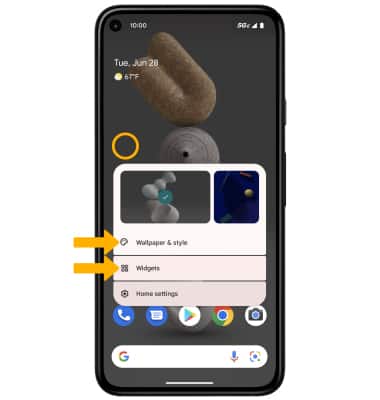
• SET DEFAULT HOME SCREEN PANEL: The leftmost panel is the default home screen.
• ADD A WIDGET: Select Widgets then select and drag the desired widget to the desired location.
• CHANGE WALLPAPER: Select Wallpaper & style then navigate to and select the desired wallpaper.
Tips
Live wallpapers can increase battery consumption. Visit the Optimize Battery Life tutorial for more information.