Change or Reset Voicemail Password
Change or Reset Voicemail Password
Reset a forgotten password or change an existing voicemail password.
INSTRUCTIONS & INFO

Visual Voicemail lets you view voicemail messages you receive and listen to your messages in any order on your devices. You can scroll through your messages, pick the ones you want to listen to, and erase them right from your device's screen. Visit the Set Up Voicemail tutorial to set up Visual Voicemail.
1. To change your voicemail password, from the home screen, select the  Phone app then select the
  Menu icon. Select Settings, then select Voicemail.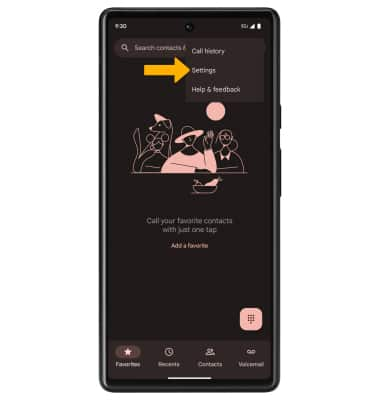
2. Select Change PIN. Enter your old PIN, then select Continue.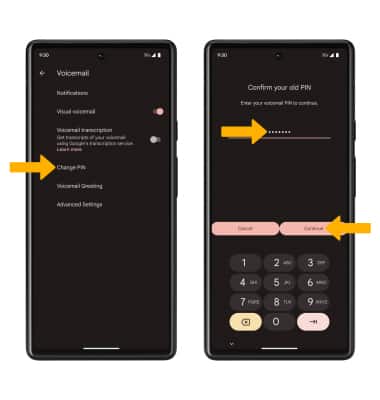
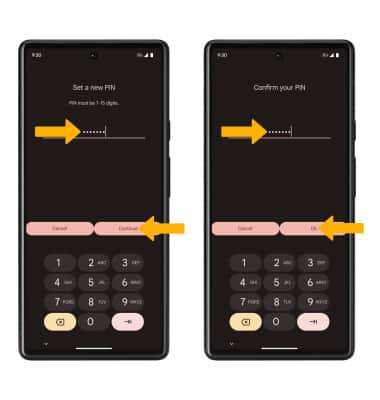
3. Enter a new 7-15 digits PIN, then select Continue. Enter the new 7-15 digits PIN again, then select Ok to confirm.