Make & Receive a Video Call
Make & Receive a Video Call
AT&T Video Call lets you make and receive HD Voice calls combined with real-time video.
INSTRUCTIONS & INFO

All AT&T Video Call participants need a video call capable device and a postpaid wireless account that is set up for AT&T HD Voice. At this time, Video Call is available between AT&T customers within AT&T HD Voice coverage areas and with users on carriers that interoperate with AT&T. Each call uses both voice & data (HD Voice part of the call is billed as a regular voice call, while the video portion of the call incurs data usage charges). No voice or data charges apply once a Video Call hands over to Wi-Fi. Certain features (Smart Limits, Ringback Tones, OfficeDirect and OfficeReach) are incompatible with Video Call.
In this tutorial, you will learn how to:
• Set up Meet
• Make a video call
• Receive to an incoming video call
Set up Meet
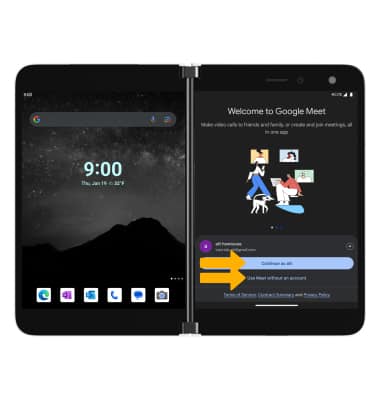
1. From the home screen, swipe up to access the Apps tray then select the  Meet app. Select Continue as or Use Meet without an account.
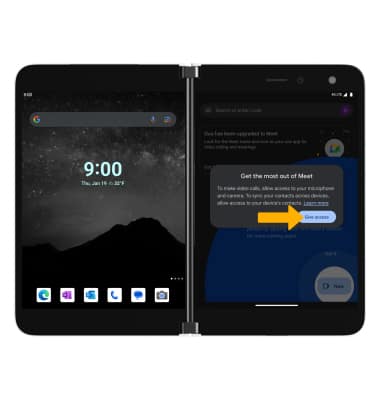
2. Review the permissions prompt, then select Give access or Allow to continue.
Note: If you are not signed into a Google account, you will be prompted to sign-in.
Make a video call
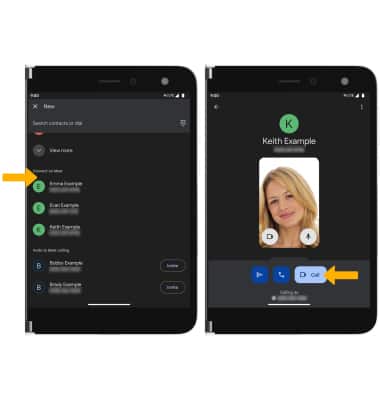
1. Select New.
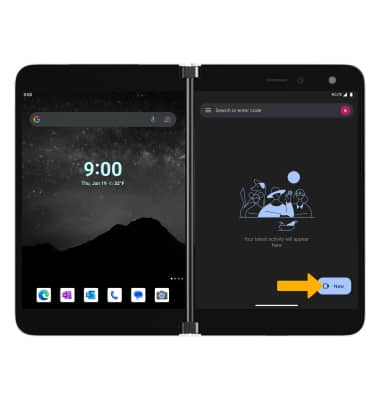
2. Contacts that are available on Meet will be displayed. From the Meet app, select the desired contact to call. Select Video call.
Receive a video call
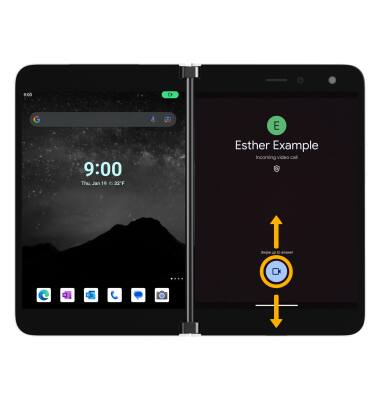
Select and drag the Video Call icon up to accept the video call. Select and drag the Video Call icon down to decline the call.