Software Version
Software Version
Determine your current device software version and check for updates.
INSTRUCTIONS & INFO
 The images and steps in this tutorial reflect software version KaiOS 1.0. Stay current by regularly checking for software updates, which often include important security patches and performance enhancements. Before downloading updates, ensure you’re connected to a reliable Wi-Fi or cellular network for a smooth experience.
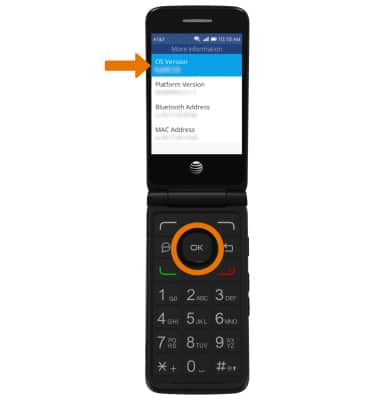
- Press the left or right directional buttons to navigate to the Device tab, then navigate to and select Device information. Navigate to and select More Information.

- The OS Version will be displayed. Press the up or down directional buttons to view the Build number.
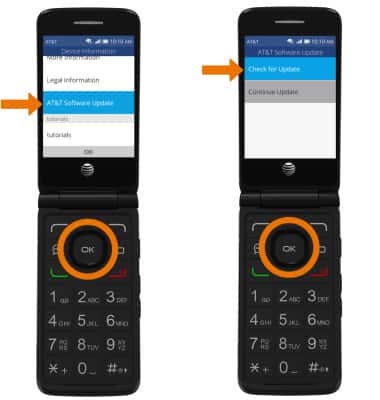
- CHECK FOR SOFTWARE UPDATES: From the Device Information screen, navigate to and select AT&T Software Update. Select Check for Update.