Available Storage
Available Storage
Learn how to check the amount of storage available on your device.
INSTRUCTIONS & INFO
1. To view available memory, from the clock screen, press the Digital Crown/Home button then select the  Settings app.
2. Scroll to and select General, then select About. 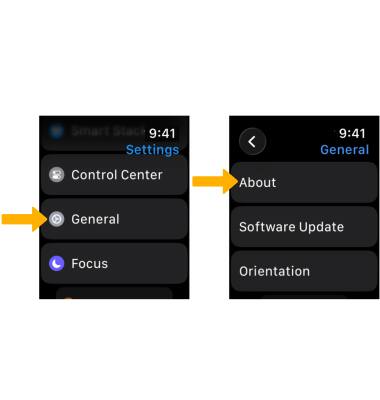
3. Scroll down to view Capacity and Available device storage. 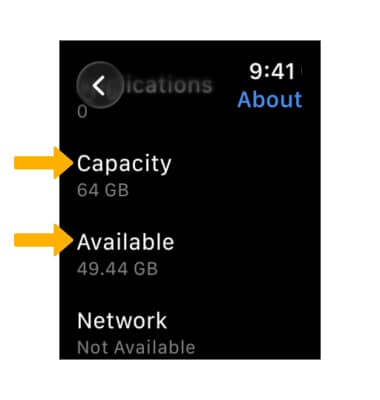
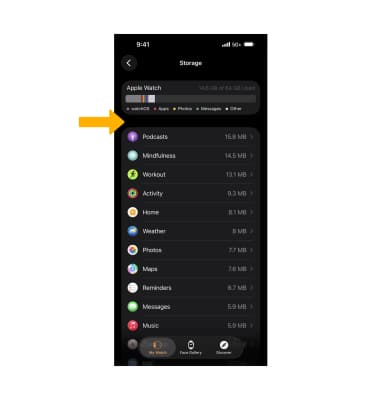
4. To view app usage, from your paired iPhone, navigate to and select the  Watch app. Select General, then scroll to and select Storage.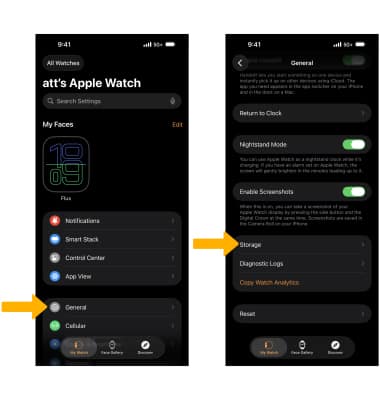
5. App usage will be displayed.